
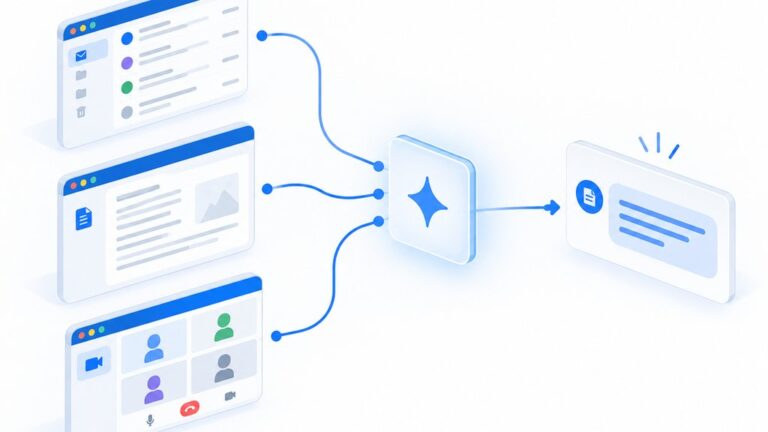
Gemini AI is Google’s generative assistant built into Workspace, and local business owners are asking what it can actually do for daily operations and what risks come with it. The short answer: it drafts emails, summarizes long threads, builds spreadsheets from prompts, and speeds up customer response time, but only when your data boundaries and permission settings are configured correctly from day one.
For IT and MSP leaders evaluating tools for their own stack or recommending solutions to clients, understanding Gemini’s built-in protections matters as much as its productivity features. This guide covers practical use cases, the security controls Google applies automatically, and a checklist to verify your setup before rolling it out across your team.
Key Takeaways
- Gemini AI in Google Workspace can draft emails, summarize conversation threads, generate spreadsheet formulas, and create first-pass document outlines from simple prompts.
- All Gemini interactions stay inside your organization’s boundary and inherit existing Workspace security controls, including user permissions and organizational policies.
- Google does not use Workspace content for generative AI model training outside your domain unless you explicitly grant permission.
- Every action that touches external parties, such as sending an email or scheduling a meeting, requires human review through an interactive preview before execution.
What Gemini AI Does Inside Google Workspace
Gemini AI sits inside Gmail, Docs, Sheets, and Meet as a side-panel assistant that responds to natural-language prompts. A user can highlight a long email thread, ask for a one-paragraph summary, and receive a draft that captures action items, deadlines, and open questions without leaving the inbox.
In Google Sheets, Gemini can generate formulas from plain English requests, build pivot table suggestions, and flag anomalies in financial or operational data sets. These features reduce the time skilled staff spend on repetitive formatting and calculation tasks.
Gemini AI Security and Setup Checklist
- ✓Organization data boundary: Interactions stay within the organization and are not shared externally without permission
- ✓Model-training protection: Workspace content is not used for generative AI model training outside the customer’s domain without permission
- ✓Existing security controls: Gemini inherits current Workspace security and data-handling controls automatically
- ✓Access control: Gemini respects authenticated-user permissions and cannot access restricted documents
- ✓Human review before external actions: Interactive preview requires user review, edit, and confirm before sending emails or scheduling meetings
- ✓Regional processing option: Customers can confine data processing to the United States or European Union through data-boundary controls
All checklist items reflect Google’s published Workspace security commitments for Gemini AI.
Practical Use Cases for Local IT and MSP Operations
For a managed services provider with twenty active client tickets, Gemini can summarize a week’s worth of status emails into a single client-ready update, cutting report preparation from forty minutes to under five. The draft still needs human editing for tone and accuracy, but the structural work is done.
A local IT consultant can ask Gemini to draft a scope-of-work document from a bulleted list of client requirements, producing a formatted first version in Docs that includes standard sections like assumptions, deliverables, and timeline placeholders.
During a client meeting recorded in Google Meet, Gemini can generate a transcript summary that extracts technical decisions, assigned tasks, and follow-up dates, reducing the note-taking burden on engineers who need to stay engaged in the conversation.
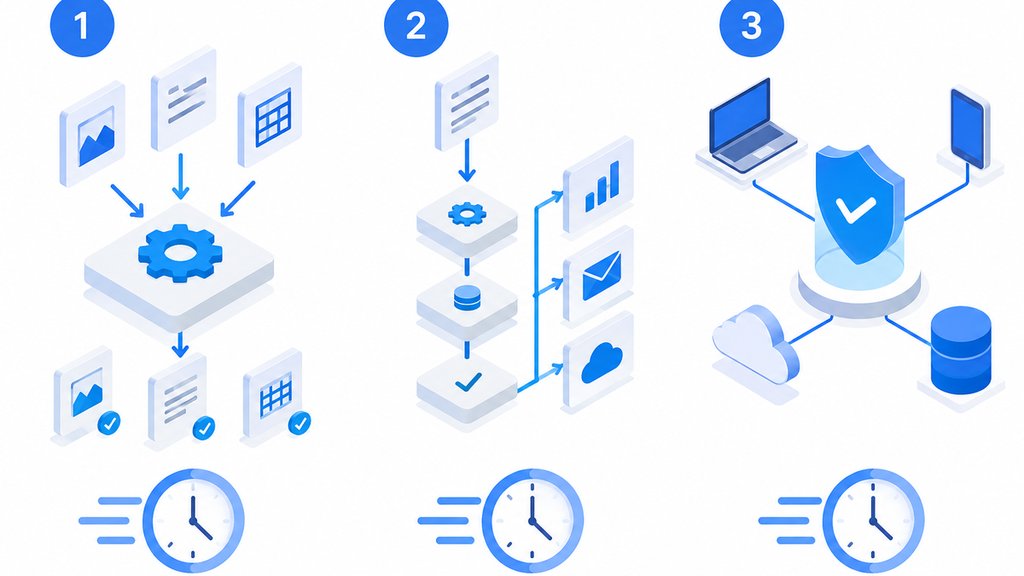
How Google Protects Your Data Boundaries
Google states that Gemini interactions in Workspace stay within the organization and are not shared externally without permission. This means the content of your prompts, the documents you reference, and the outputs Gemini generates do not leak into public models or other customer environments.
Workspace content is not used for generative AI model training outside the customer’s domain without permission. This protection applies at the domain level, so an MSP managing multiple client domains can be confident that one client’s data does not train models accessible to another.
Inherited Security Controls and Access Permissions
Gemini inherits existing Workspace security and data-handling controls automatically, including applicable permissions and organizational policies set by your admin console. If a user cannot access a sensitive financial folder through normal Drive permissions, Gemini cannot access it either.
The system respects authenticated-user permissions at the document level. Gemini cannot open, reference, or summarize a file when the authenticated user does not have access to it, which prevents privilege escalation through the AI interface.
For actions that reach outside your organization, such as sending an email or scheduling a calendar meeting, Google describes an interactive preview that lets users review, edit, and confirm before execution. This human-in-the-loop step prevents accidental or unauthorized external communications.
Regional Processing and Compliance Considerations
Customers can confine Gemini in Workspace data processing to the United States or European Union through available data-boundary controls. This option matters for MSPs with clients in regulated industries or jurisdictions with strict data-residency requirements.
Selecting a regional boundary does not change the feature set available to users, but it does affect where prompt processing and temporary data storage occur. Admins should document this choice in their compliance records and verify it during security audits.
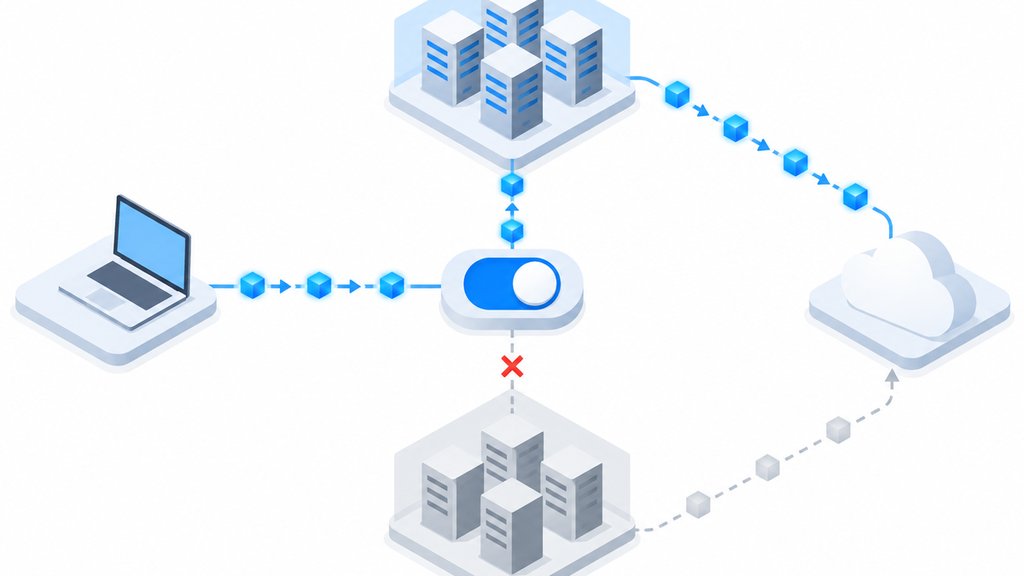
How The SEO IT Guy Evaluates New Productivity Tools
At The SEO IT Guy, we help IT companies and managed IT services providers get leads from organic Google searches and Google Maps in their local geographical market. We focus exclusively on the IT and MSP industry, applying insider knowledge of technical language, keywords, and service pages that drive leads for IT businesses.
Steve Dempsey, our owner, has spent over 20 years in the IT support and service industry and understands both the technical aspect of SEO and the marketing side that helps convert website visitors into leads. When we evaluate tools like Gemini AI for our own operations or discuss them with clients, we apply the same standard: does it save verifiable hours, does it protect data boundaries, and does it integrate without adding admin overhead.
Our team, including Vanessa Gonzalez who oversees onboarding and manages SEO analytics and search queries, tests new features against real workflows before recommending them. If you are an MSP looking to strengthen your local search presence while running a lean operation, we adopt a consulting approach to provide a customized roadmap and solutions, taking time to get to know each business, industry, and goals since no two businesses or locations are the same.
Building Internal Governance Around Gemini AI Adoption
Local IT providers and MSPs need clear internal policies before rolling Gemini AI out to client environments. A written usage framework prevents shadow adoption and sets expectations for every team member who interacts with generative tools.
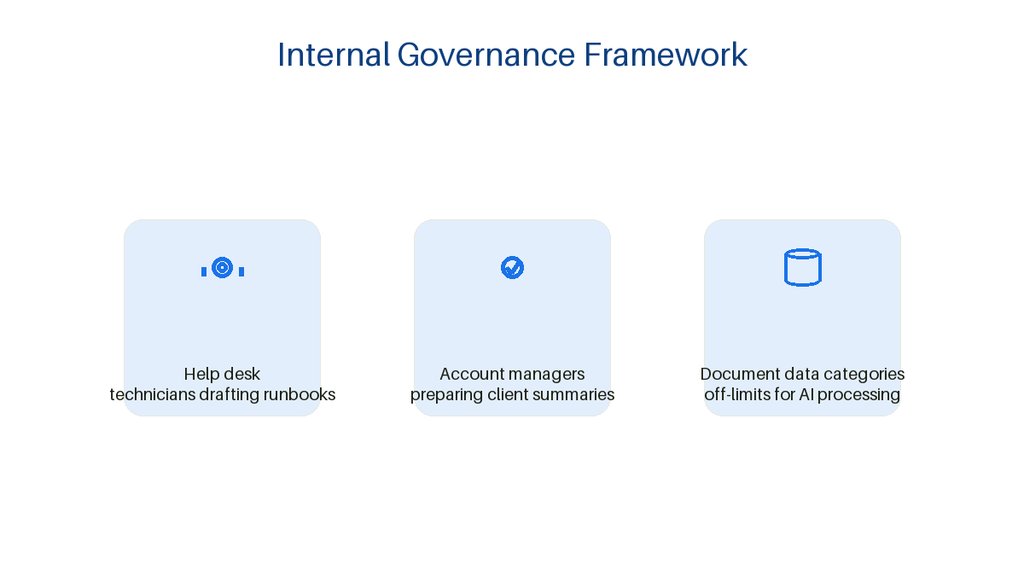
Start by identifying which roles actually benefit from AI assistance rather than enabling it organization-wide immediately. Help desk technicians drafting runbooks and account managers preparing client summaries represent very different risk profiles that deserve tailored guidelines.
Document which data categories remain off-limits for AI processing regardless of Google’s security architecture. Client financial records, protected health information, and unreleased product plans warrant explicit prohibition even when technical controls might theoretically permit access.
Assign an internal reviewer responsible for evaluating Gemini outputs before they reach external stakeholders. This checkpoint catches hallucinated technical specifications or inappropriate tone without creating a bottleneck that drives users toward unapproved alternatives.
Establish a quarterly review cycle where your team examines actual usage patterns against your documented policies. Real behavior often diverges from intended workflows, and these audits surface training needs or policy gaps before they become incidents.
Create a simple escalation path for employees who encounter unexpected AI behavior or suspect data exposure. Speed matters when someone realizes they may have prompted Gemini with information that should have stayed internal.
Maintain versioned records of your governance documents to demonstrate due diligence during client security questionnaires or insurance reviews. Proactive policy development signals maturity that distinguishes serious MSPs from operators merely chasing the latest feature.
Training Your Team to Spot Gemini AI Limitations
Even the most secure AI implementation fails when users trust outputs they should verify. Local IT teams need practical training that builds healthy skepticism without paralyzing productivity.
Teach staff to recognize confident-sounding but potentially fabricated technical details in generated responses. Gemini may cite non-existent registry keys or obsolete command syntax that wastes hours if accepted uncritically.
Demonstrate how context window limitations can cause Gemini to lose thread in lengthy troubleshooting conversations. Users should know when to start fresh sessions rather than continuing conversations where earlier details have effectively disappeared.
Practice identifying responses that hedge excessively or provide generic guidance where specific action is needed. These patterns indicate the tool lacks sufficient context, and prompting refinement usually yields better results than accepting vague output.
Review real examples of biased or incomplete recommendations that emerged from skewed training data. Technical professionals especially need awareness that AI systems can reflect historical underrepresentation of newer platforms or alternative solutions.
Instill the habit of checking generated code or configurations in isolated test environments before production deployment. This discipline protects client systems regardless of how polished or authoritative the AI output appears.
Encourage team members to share notable Gemini successes and failures in regular standups. Collective learning accelerates faster than individual trial and error, and normalizes the reality that even experienced professionals refine their AI skills continuously.

Frequently Asked Questions
Can Gemini AI access sensitive documents my team has restricted in Google Drive?
No. Gemini respects the same authenticated-user permissions that govern Google Drive.
If a user does not have access to a document, Gemini cannot open or reference it. This prevents the AI from becoming an unintended bypass for file permissions.
Does Google use my company’s emails and documents to train its public AI models?
Google states that Workspace content is not used for generative AI model training outside the customer’s domain without permission. Your prompts and data stay within your organizational boundary unless you explicitly opt in.
What happens if Gemini drafts an email I do not want to send?
For external actions like sending emails or scheduling meetings, Google provides an interactive preview. You must review, edit, and confirm before anything goes out.
The draft does not send automatically.
Can I limit where Gemini processes my data geographically?
Yes. Google offers data-boundary controls that let you confine Gemini in Workspace processing to the United States or European Union.
This supports compliance with data-residency requirements in regulated industries.
Should my MSP recommend Gemini AI to clients before testing it internally?
No. We recommend running Gemini through your own workflows first, documenting any accuracy gaps in technical summaries, and verifying that your admin console enforces the intended permission and regional settings before advising clients to adopt it.
How should we handle a situation where Gemini generates incorrect technical advice that a technician almost acted upon?
Treat it as a near-miss incident worthy of documentation and team discussion rather than individual blame. Capture what the technician noticed that triggered verification, what the error was, and how your existing controls either succeeded or need strengthening.
These moments reinforce training more effectively than abstract warnings, and accumulated records help justify governance investments to leadership or clients who question whether AI oversight is truly necessary.

About the author
Steve Dempsey - Owner / Founder
Steve Dempsey is the owner and founder of The SEO IT Guy, an SEO agency for managed IT services providers that he started after more than 20 years running his own IT support company.